Uncertainty is optional.
Insika Atlas is the source-traced map of your state's tax credit process, with guidance: every Milestone, Task and Action in the order your deal meets them, each tied to the agency's own document, with what it means for your deal and the proof the agency will expect before you move on.
New: 4% editions, for deals with tax-exempt bonds, are now on sale for California, New York, Texas and Washington. See the states
- One state and one deal type: 30 editions of the 9% program and 4 of the 4% program
- Six views of the same deal, and the User manual built in
- Traced to the state agency's own documents
- Opens in your browser; sign in from any device
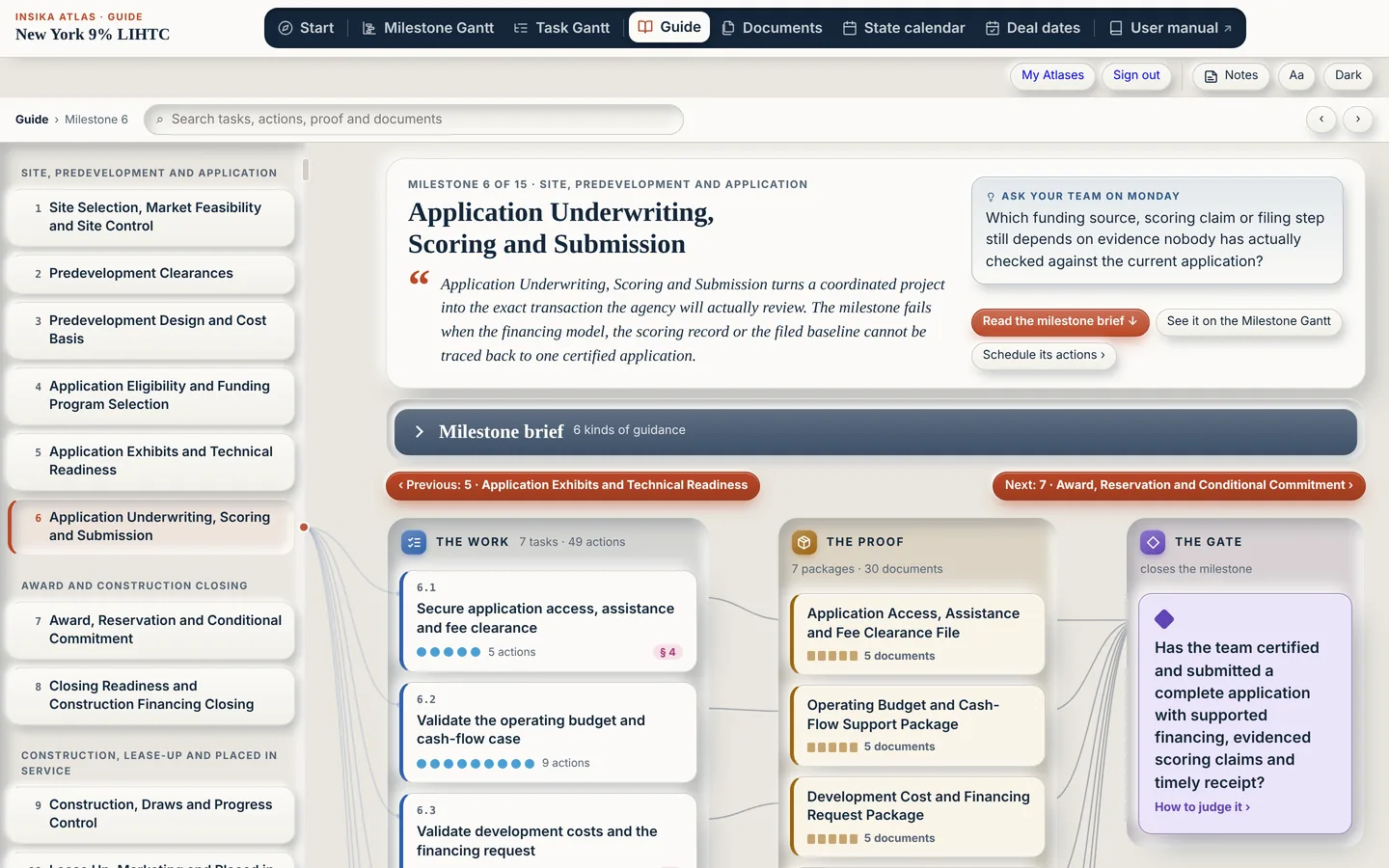
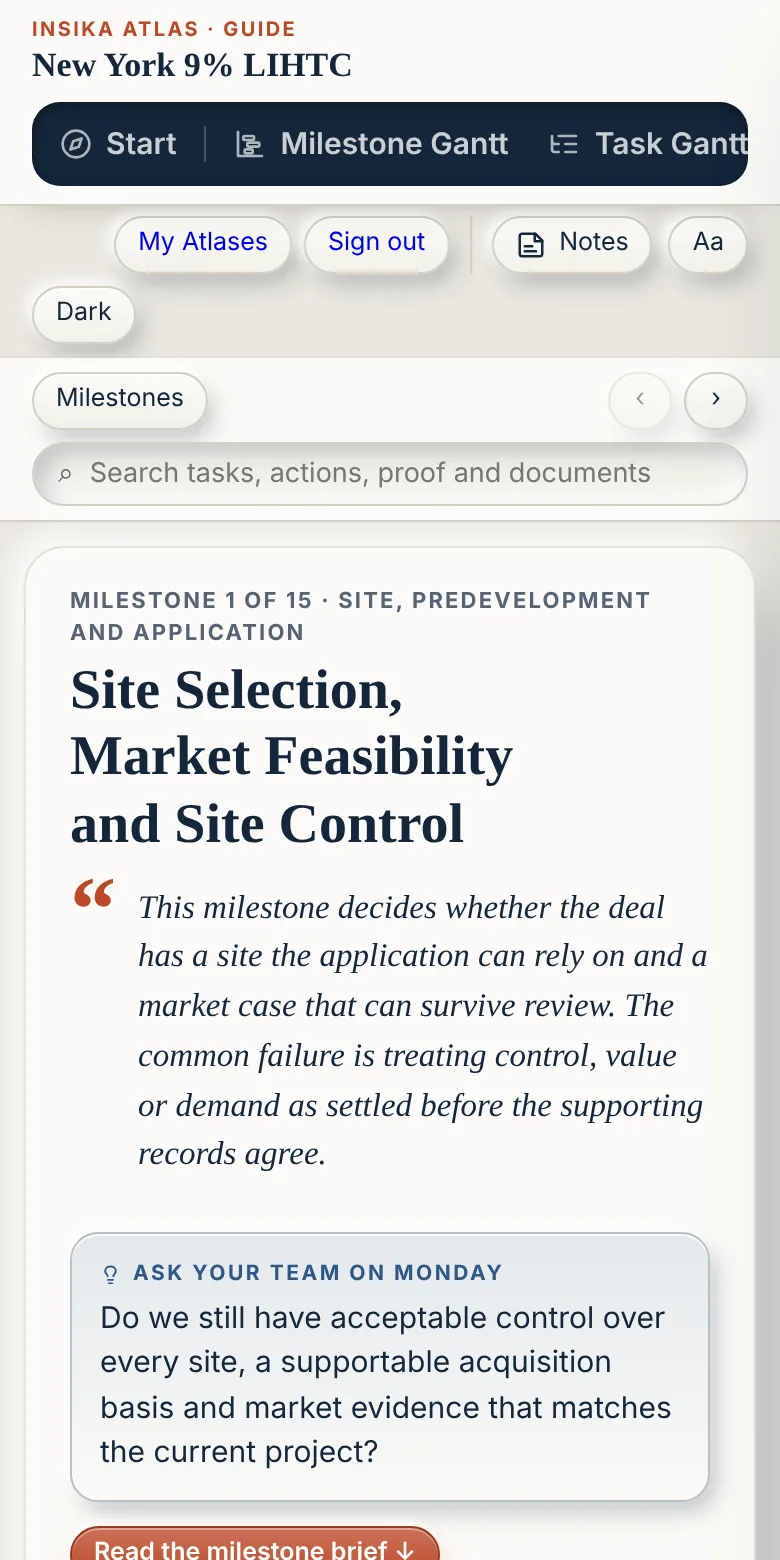
Shown: the New York 9% edition.
The source-traced map of your state's process, with guidance
The rules are public, but they are scattered across plans, manuals, forms and notices. The Atlas puts them in the order your deal meets them, ties each step to the agency's own document, and tells you what it means for your deal.
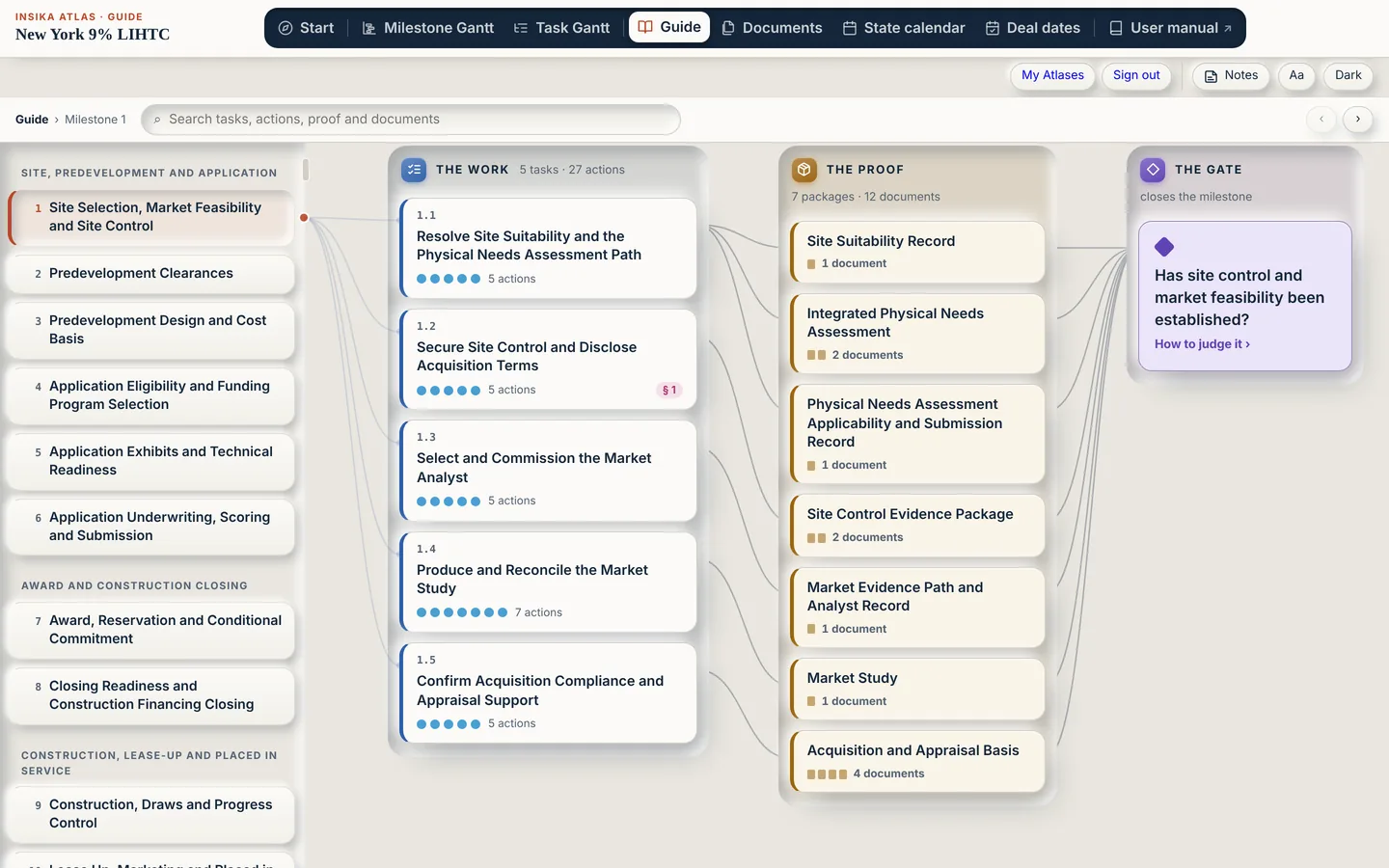
Six views of the same deal
Each view is a different angle on one deal. Change a date in one and the others follow.
Plan the deal
Lay the whole deal on a timeline, then work it Milestone by Milestone.
Milestone GanttThe whole deal on one timeline, each Milestone ending when you know the deal can advance.Task GanttOne Milestone at a time, Task by Task and Action by Action.Know the rules
Read what the agency asks for, and why, with every document it names.
GuideThe reference, with no dates: what each Milestone and Task asks of you, and why.DocumentsEvery Document, under the Task that produces it or A to Z.Work to the dates
See the agency's calendar and the deadlines your own deal sets in motion.
State calendarThe agency's dates on one line. Some apply only to some deals.Deal datesYour deal's events and the deadlines they set in motion.Traced to the source. 1,414 of 1,441 of its items name the HCR document they rest on, down to the section, page or sheet.
Change one date. See what moves.
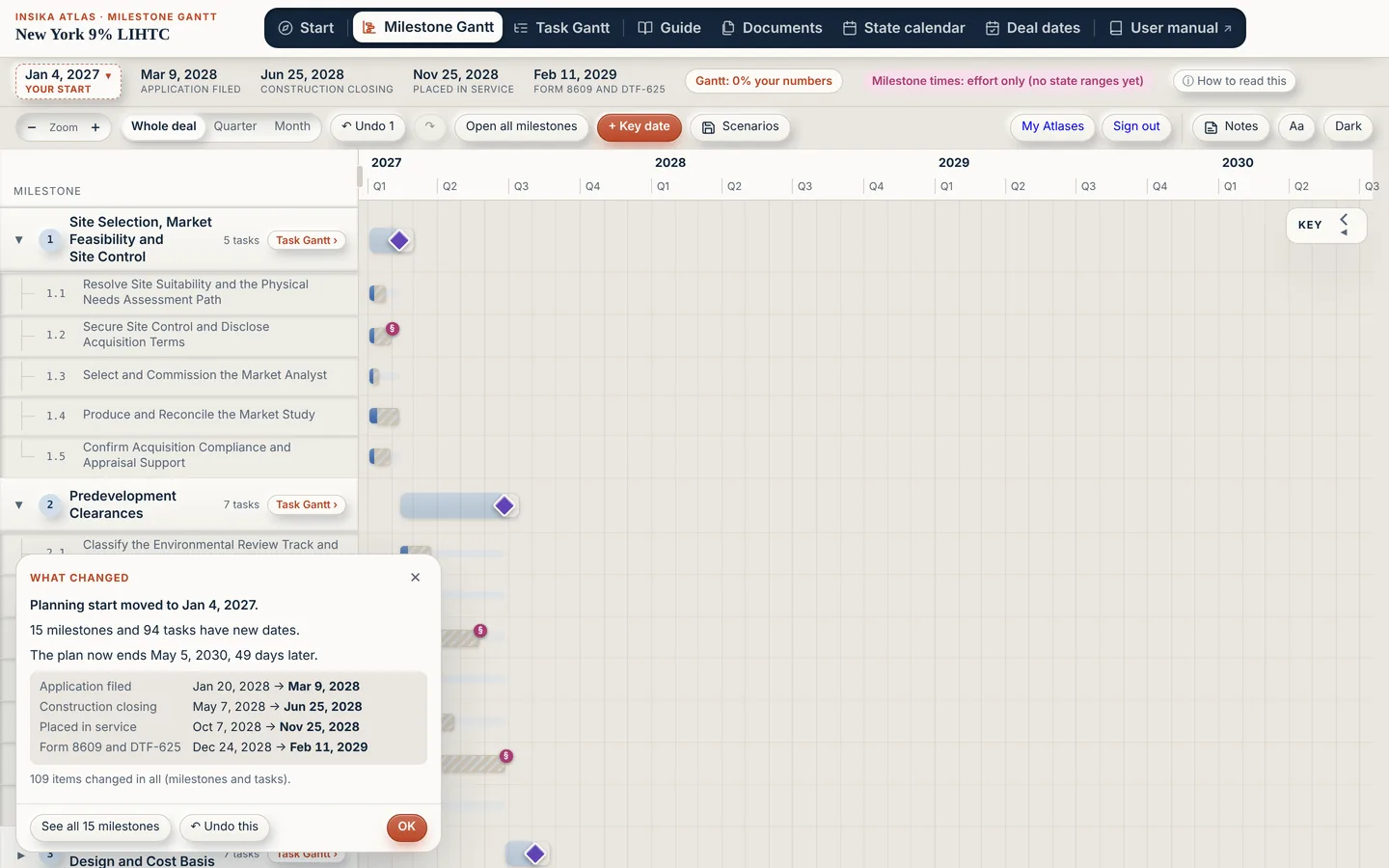
Set your start date and the Gantts, the agency's calendar and your deal's deadlines line up. Change a date and the Atlas shows you what moved.
- Set your start.The Gantts begin on a sample date until you set yours at the top of the Milestone Gantt. Pin the dates you already know.
- Change any date.Drag a Task's right edge, type an Action's days, or enter an event's real date. The Gantts, the agency's calendar and your deadlines move together.
- See what changed.The Atlas tells you how many Milestones and Tasks have new dates and where the application, closing and placed in service now fall. Undo it in one click, or save the plan as a scenario.
Lay out the whole deal, then work it
The two Gantts and your scenarios: the deal on one timeline, each Milestone down to its Actions, and every timeline you want to compare.
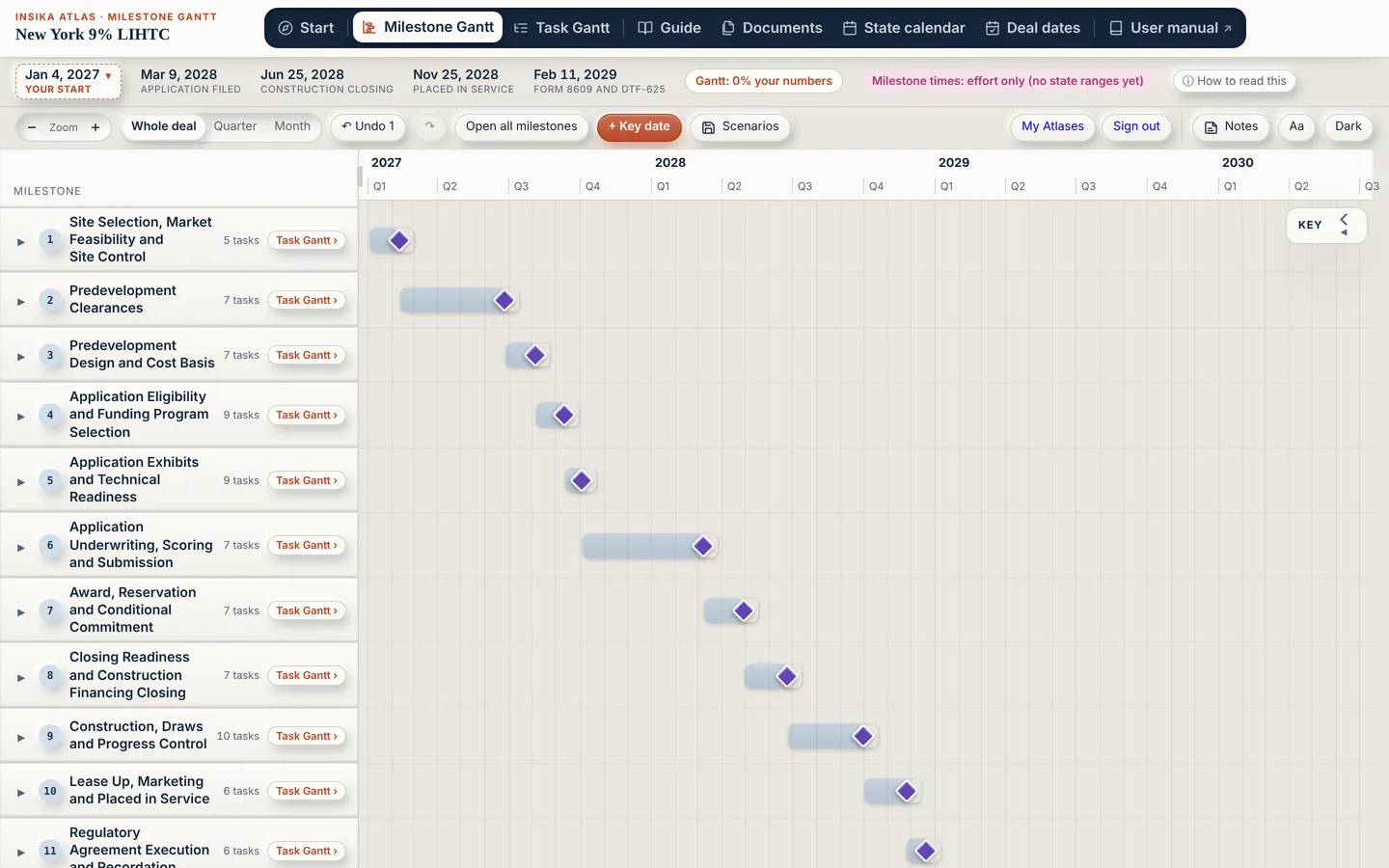
The whole deal on one timeline
Every Milestone from site selection to Year 15 on one timeline, each one ending when you know the deal can advance. Open a Milestone to see its Tasks, or double-click its bar to work on it in the Task Gantt.
- Set your start date and pin the dates you know
- Drag a Task's right edge to change its working days
- Save scenarios with different timelines, then recall or export them
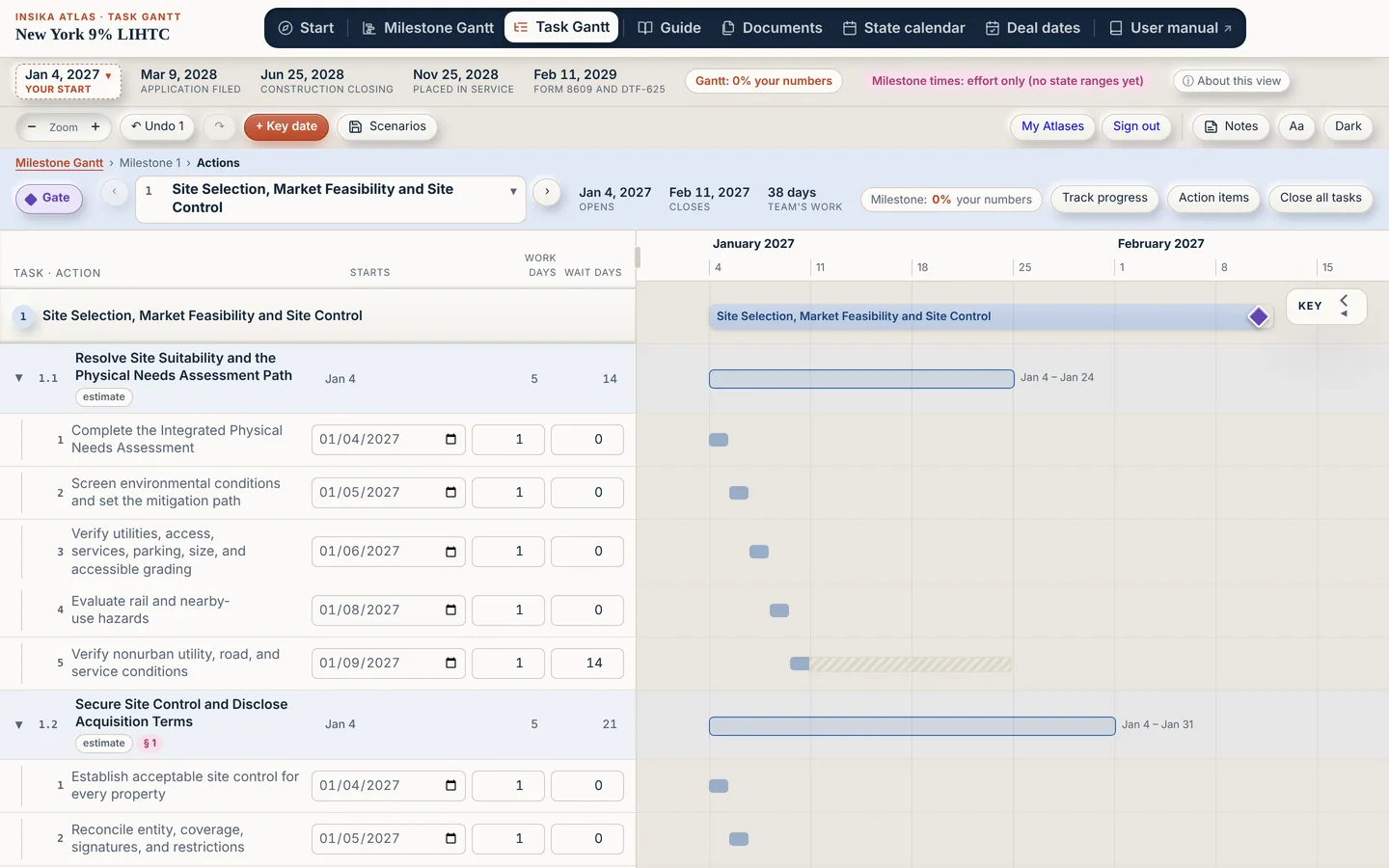
One Milestone at a time, Action by Action
Zoom into one Milestone's Tasks and the Actions that get each one done, with their start dates, working days and the days spent waiting on others.
- Drag an Action's right edge, or type its days
- Track owners and progress; late Actions are flagged
- Print the action items for your team
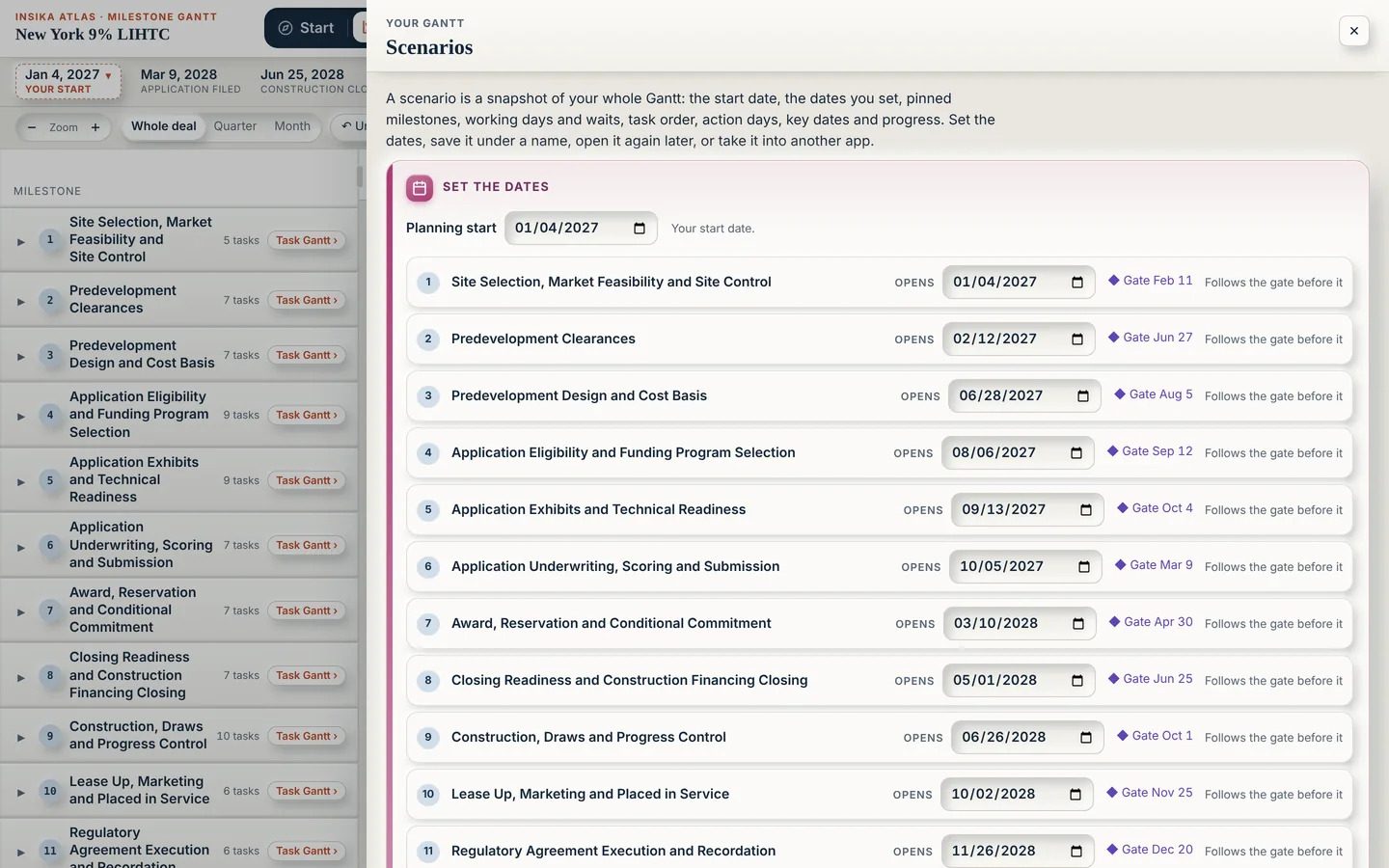
Compare timelines without losing one
A scenario is a snapshot of your whole Gantt: the start date, the dates you set, pinned Milestones, working days and waits, task order, action days, key dates and progress.
- Set the dates for every Milestone in one place
- Save a scenario under a name and open it again later
- Take a scenario into another app
Know what the agency will ask for, before it asks
The Guide, the proof that shows the deal can advance, and every document the agency names, each traced to its source.
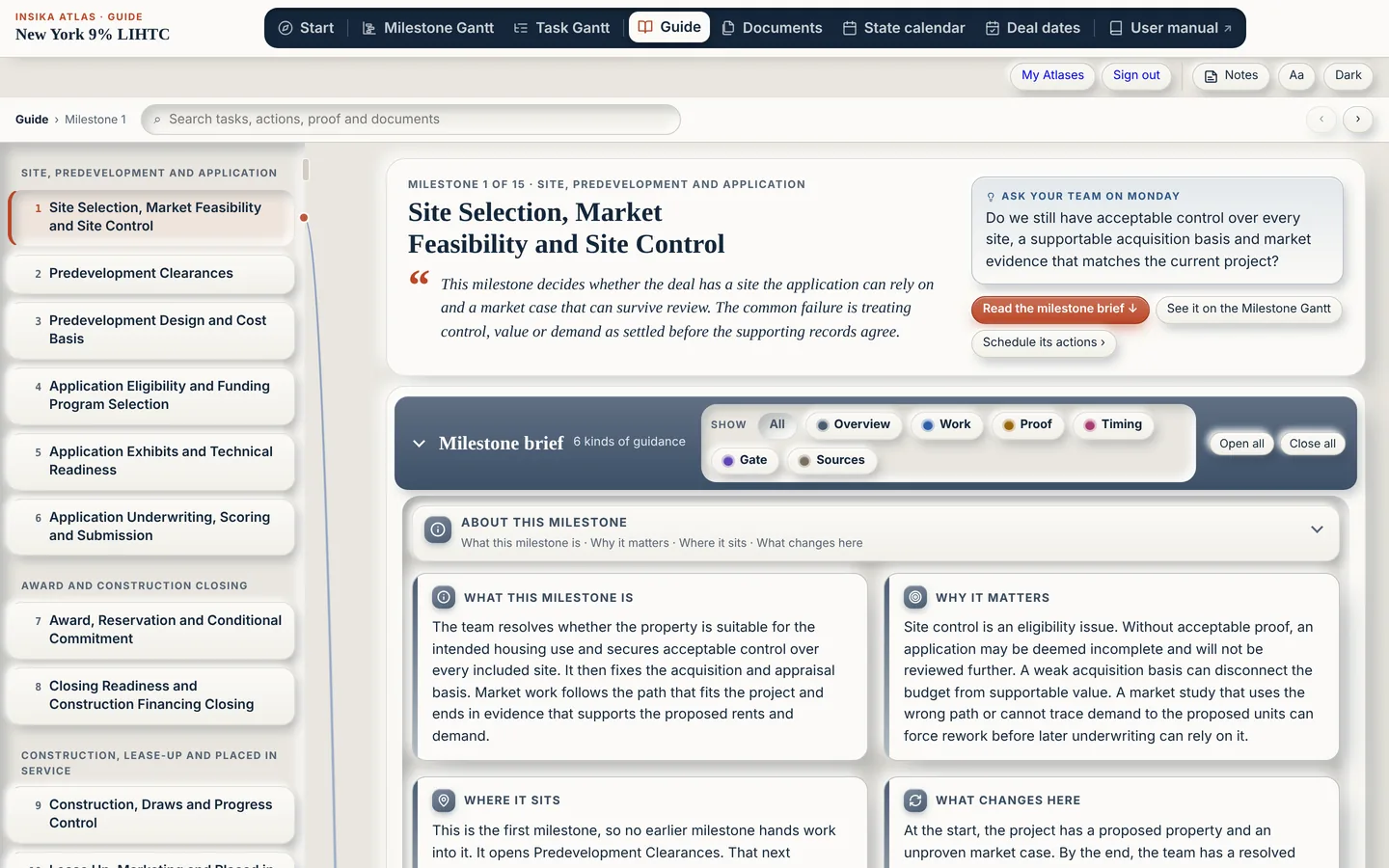
Your state's process, as a reference
The Atlas with no dates: what each Milestone and Task asks of you, and why. Each Milestone opens with a brief, down to the question to ask your team on Monday.
- Search the whole Atlas; press / to start
- Click a Task to read its work and its proof
- Move between Milestones with Previous and Next
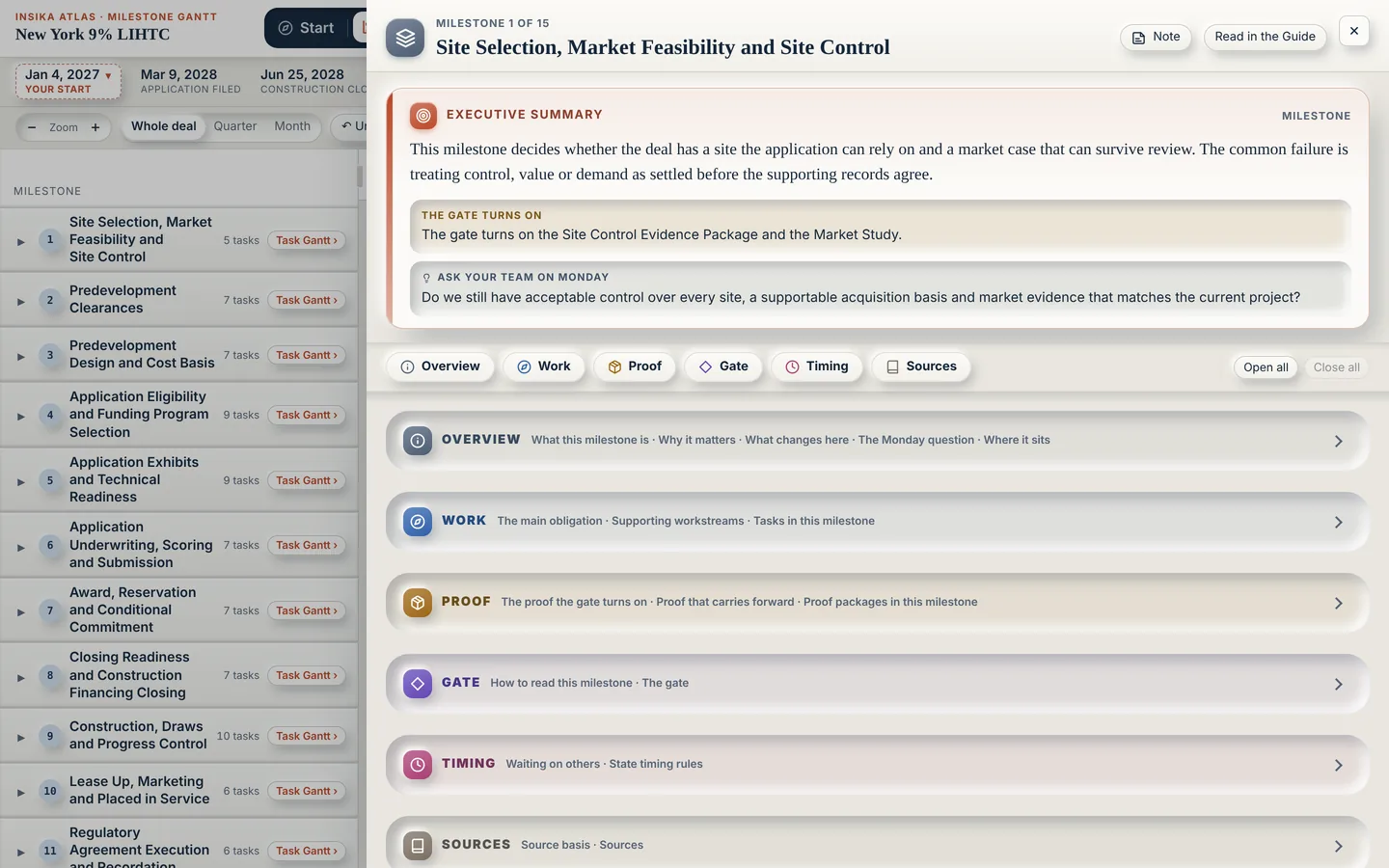
Proof, not just to-dos
Every Task says what evidence closes it, so you know when the deal can advance, and the file the agency will ask for is built while the work is done, not after. Open any item to read its overview, work, proof, timing and sources. The Atlas labels that point, at the end of each Milestone, its Gate.
- What has to be true for the deal to advance
- The question to ask your team
- The agency document behind each item
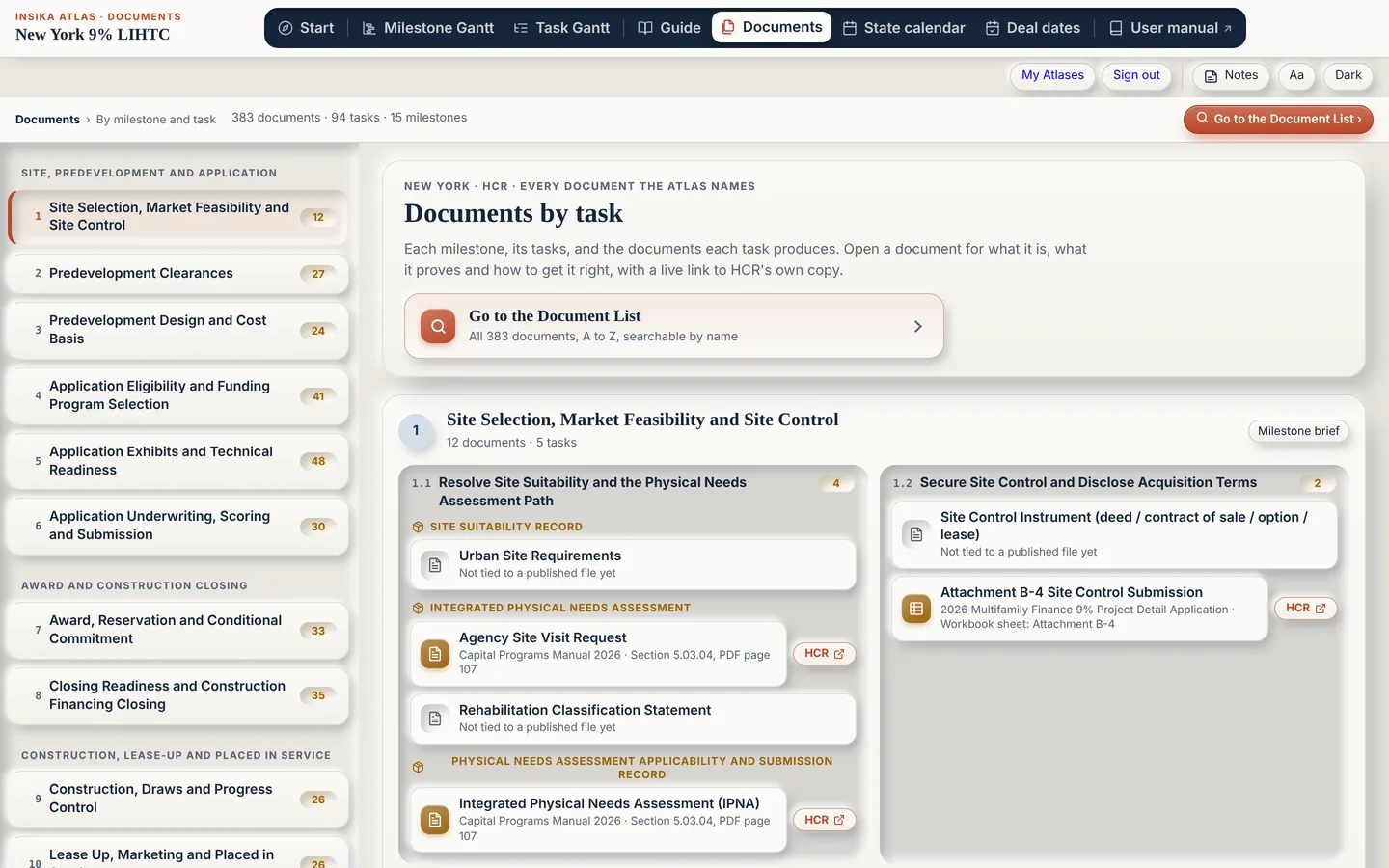
Every document the agency names
Every Document under the Milestone and Task that produce it, or A to Z, with what it proves, what makes it ready, and a link to the agency's own copy where it publishes one. The New York 9% edition names 383 of them.
- Search Documents by name
- See what each one proves and what makes it ready
- See the proof package and Task it belongs to
The agency's dates and your own, on one line
The dates the agency sets for every applicant, and the deadlines your own deal's events set in motion.
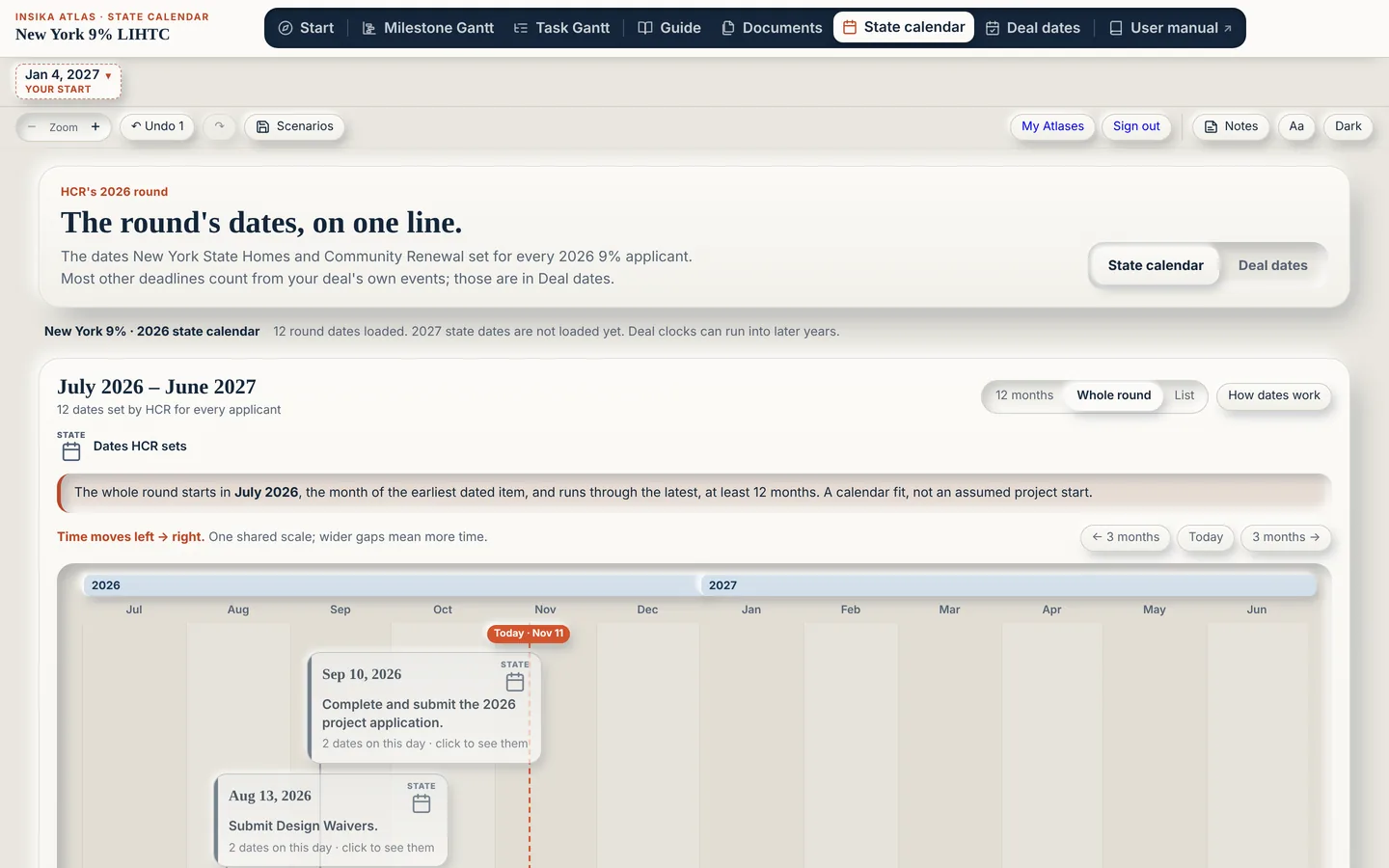
The round's dates, on one line
The dates the state agency sets for every applicant, with no deal involved. Some apply only to some deals. A reference, like the Guide.
- See 12 months, the whole round or a list
- Zoom in to spread a busy month out
- Click a date to read its rule and source
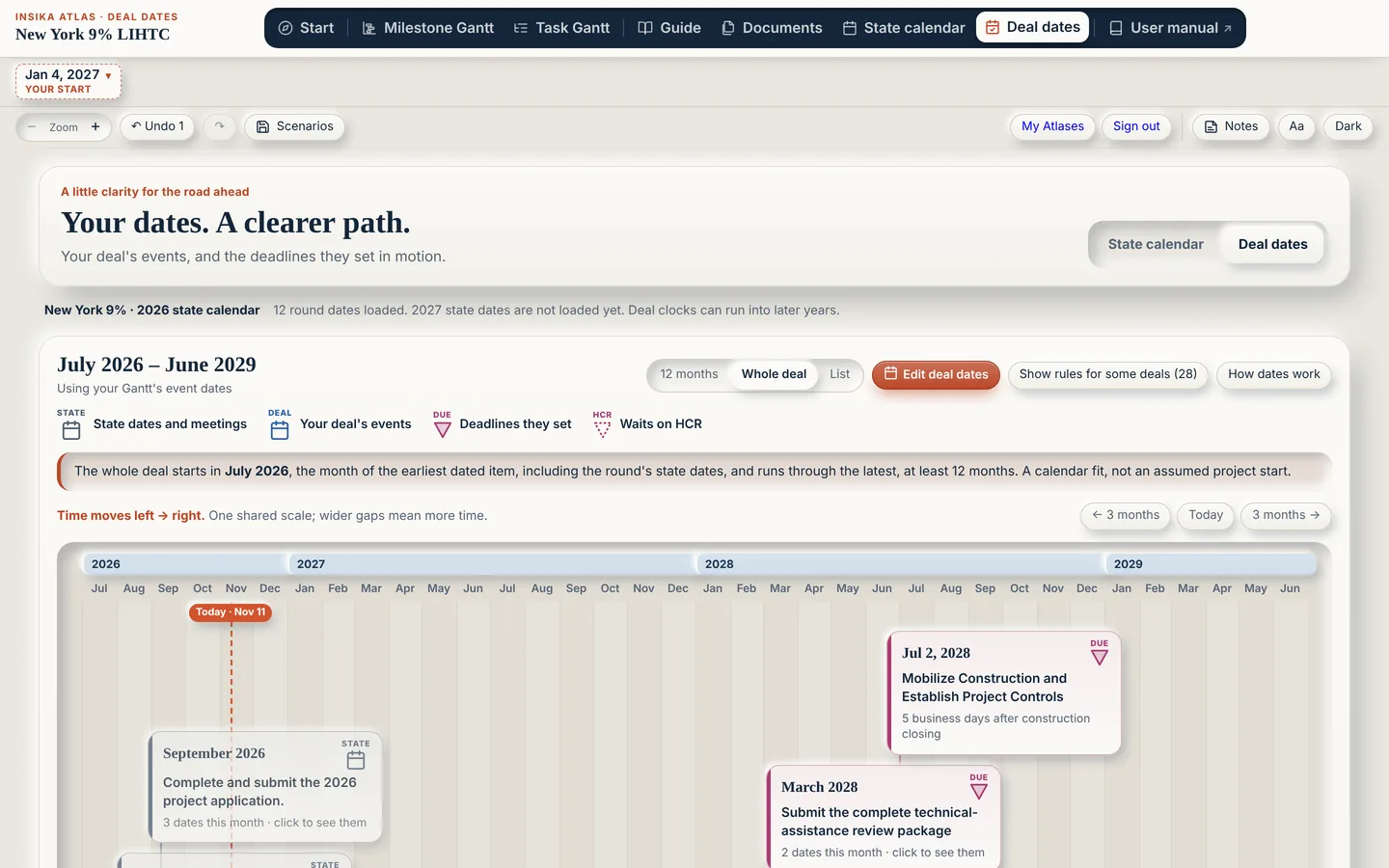
Your dates. A clearer path.
Your deal's events and the deadlines they set in motion, on the same timeline as the agency's dates.
- Enter an event's real date and its deadlines move
- Point at an event to see the deadlines it starts
- Show the rules that apply only to some deals
One chain, standing on your state's own rules
Every item in the Atlas sits in one chain, so you always know where a piece of work belongs, what it is for, and which rule it answers to.
The work that moves the deal forward, with its standard for done.
The specific work that gets the Task done. Each one says what done means, so you know when it is finished.
The evidence that the Task is done.
Each says what it proves and what makes it ready.
When the proof holds, you know the deal can advance and the Milestone is done.
Failure to prepare is preparing to fail.
Insika Atlas, know your pathOpen an Atlas and try it
Each demo is a real edition with one Milestone open all the way down, in every view: both Gantts, the Guide, Documents and dates. Free; each opens in a new window.
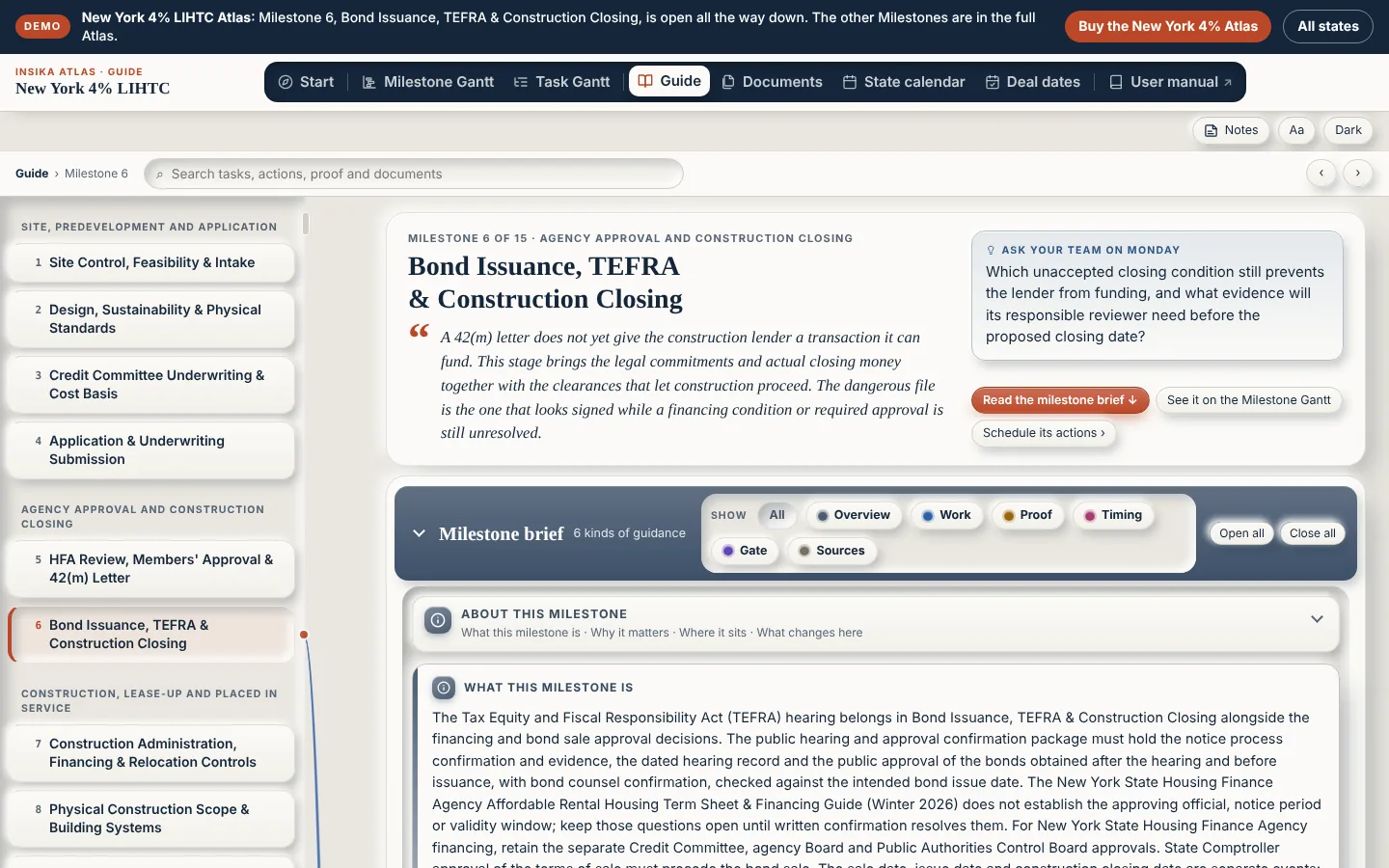
New York 4% Atlas
Milestone 6, Bond Issuance, TEFRA & Construction Closing, open all the way down: 16 Tasks, 115 Actions and 69 Documents, with their proof, dates and guidance. The other Milestones keep their names and lengths.
Open the demo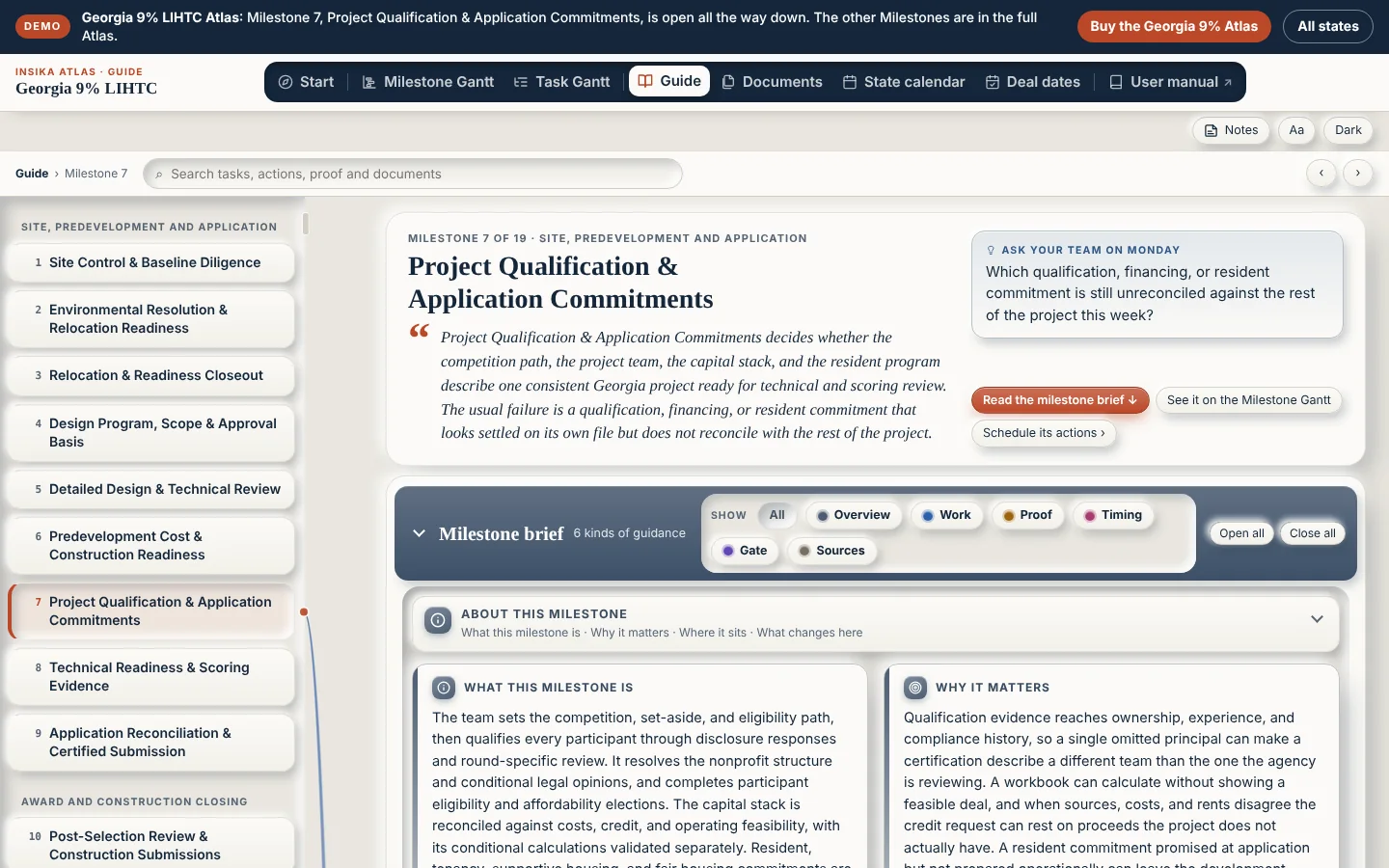
Georgia 9% Atlas
Milestone 7, Project Qualification & Application Commitments, open all the way down: 10 Tasks, 79 Actions and 88 Documents, with the 2026 and 2027 round dates. The other Milestones keep their names and lengths.
Open the demoChoose your state
Alabama, California, Colorado, Connecticut, Florida, Georgia, Illinois, Indiana, Kentucky, Louisiana, Maryland, Massachusetts, Michigan, Minnesota, Missouri, Nevada, New Jersey, New York, North Carolina, Ohio, Oklahoma, Oregon, Pennsylvania, South Carolina, Tennessee, Texas, Utah, Virginia, Washington and Wisconsin are available now.
4 editions of the 4% program
California, New York, Texas and Washington are available now, for deals with tax-exempt bonds.
The Atlas maps the credit. Stack finds the rest.
Insika Stack lists the other layers of the capital stack beside your Atlas: 2,076 programs, from federal to local, in every state and DC, with the tools to match them to your deal.
Before you buy
Developers, consultants, lenders and anyone who carries a state's tax credit requirements on a deal.
One state and one deal type: the 9% program, or the 4% program with tax-exempt bonds. Each edition follows that state agency's own process, forms and deadlines.
No. It maps them, and the agency's documents always govern. Its items name the document they rest on, down to the section, page or sheet, with a link to the agency's own copy where it publishes one.
Each release is dated and says which round it reflects. Your library always opens the latest release.
Notes stay on the device you use. Save a timeline as a scenario under a name to open it again later, or take it into another app.
$250 the first year with code ATLAS250, then $500 a year, per state edition.
Buy your state's edition, then sign in at atlas.insikasystems.com. It opens in your browser.
Talk to us about firm and multi-state access.